For legal teams

MatterFlow

Chasing paperwork, without the chasing.

This is a working demo, not a live product inside a firm. It is built to be trialled for four weeks with one team.
Open the demo

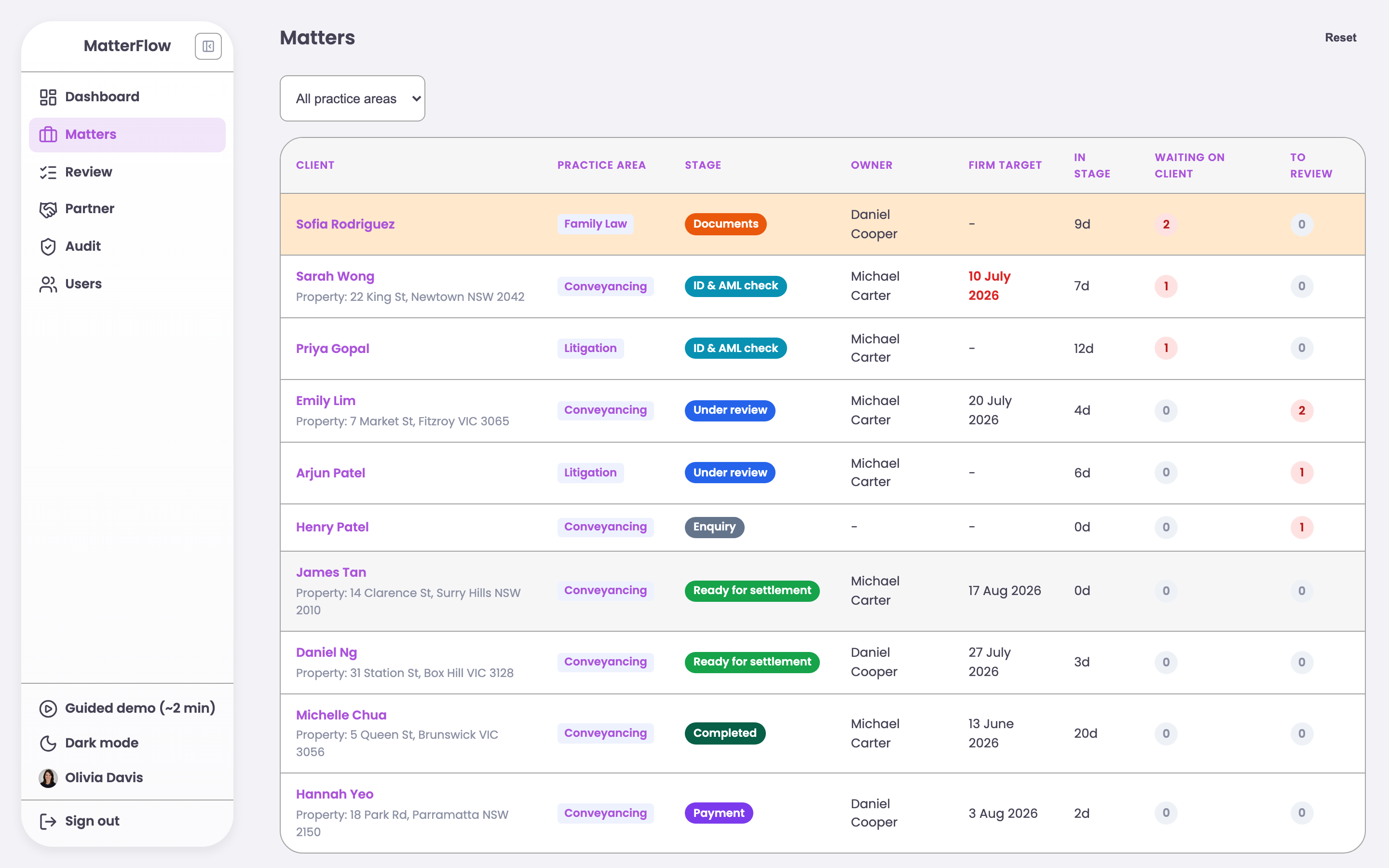
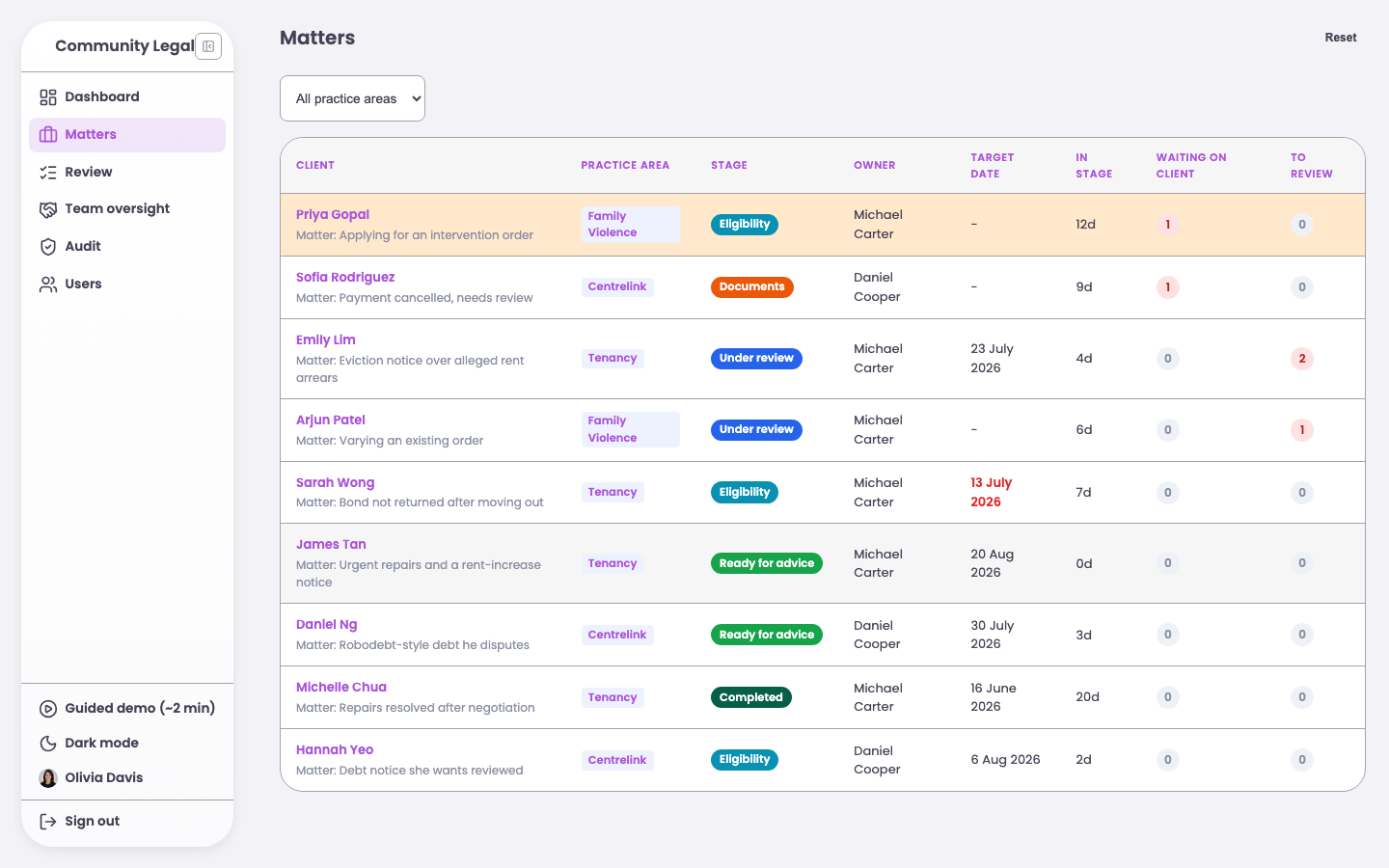
The MatterFlow staff screen, showing legal matters sorted by who is waiting.

The problem

Document requests leave legal teams and their clients guessing about what is still missing.

  • Requests go out by email and replies return to different inboxes.
  • Staff cannot quickly see whether a matter is waiting for the client or the firm.
  • Clients email the firm because they cannot see what arrived or what they still owe.

What I built

MatterFlow puts every request and case status in one shared workflow.

  • Staff get one queue, sorted by who needs to act next.
  • Clients open a private link without creating an account and see only what they still need to provide.
  • Each upload moves the matter forward and creates the next review task automatically.

What changed

MatterFlow now handles the follow-up work.

  • MatterFlow sends the reminders that staff used to send by hand.
  • Clients can confirm that their files arrived without sending another email.
  • Every upload, approval, and change stays in one clear history.
For a writer in Sydney

Jen Liu

Years of Sydney knowledge, in one place.

Open the site

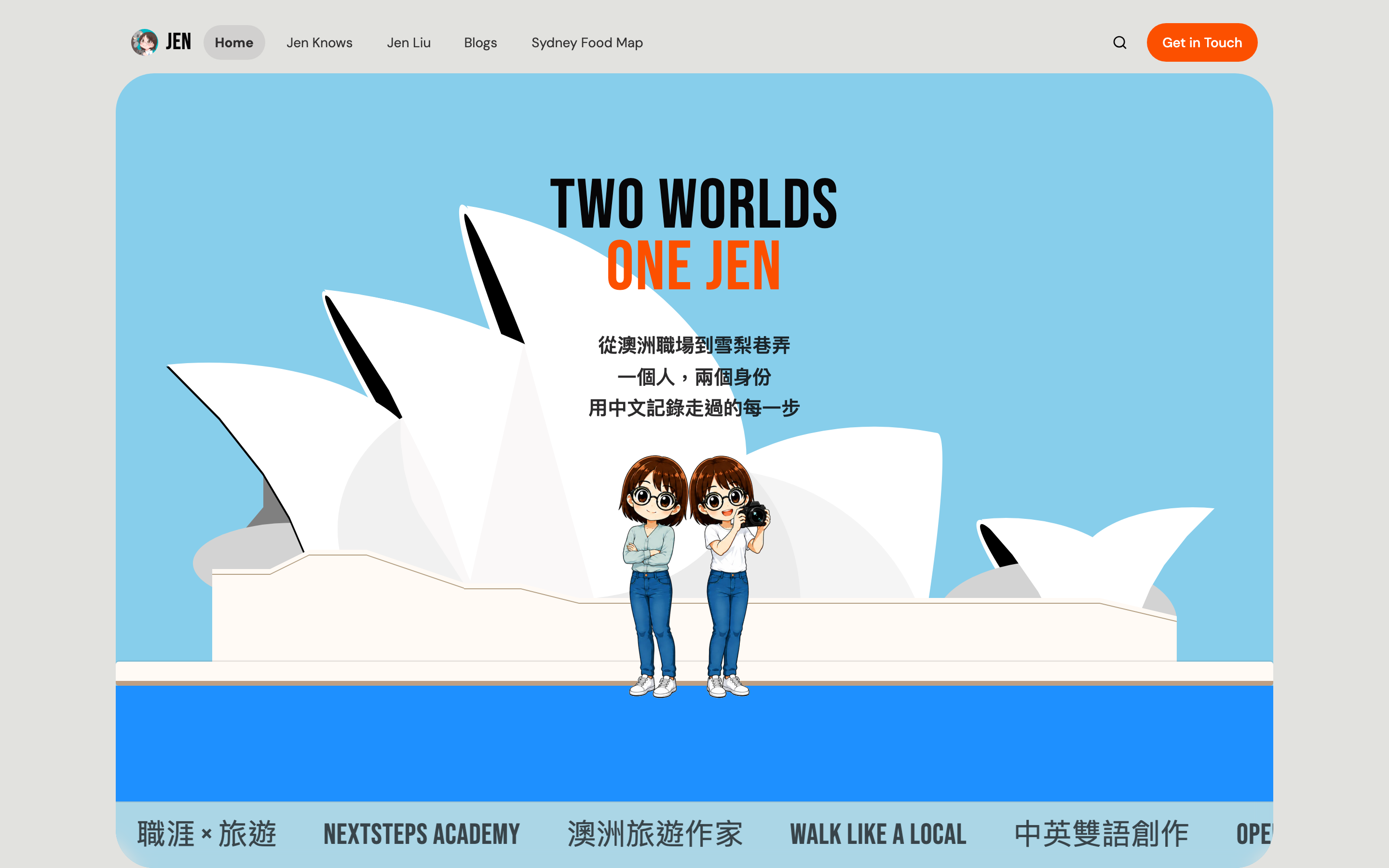
Jen Liu's home page, showing her career writing and her travel writing.

The problem

Jen had plenty to share, but no single place where it all belonged.

  • She was developing several themes, including travel, career coaching, and Sydney food.
  • Her work was spread across a blog, social media, video, and a bookshop page.
  • Building a separate site for every theme would split her readers and create more work for her.

What I built

I brought her work together in one site that she could update herself.

  • One navigation system connects her career guides, travel writing, and food content.
  • The site reads from the blog she already uses, so she does not need a new publishing routine.
  • A map turns notes from 77 Sydney restaurants into a quicker, more visual way to browse.

What changed

Jen liked the site and was happy to use it.

For myself

54 AI models, one laptop

I tested every one, and wrote down the answer.

Open the results

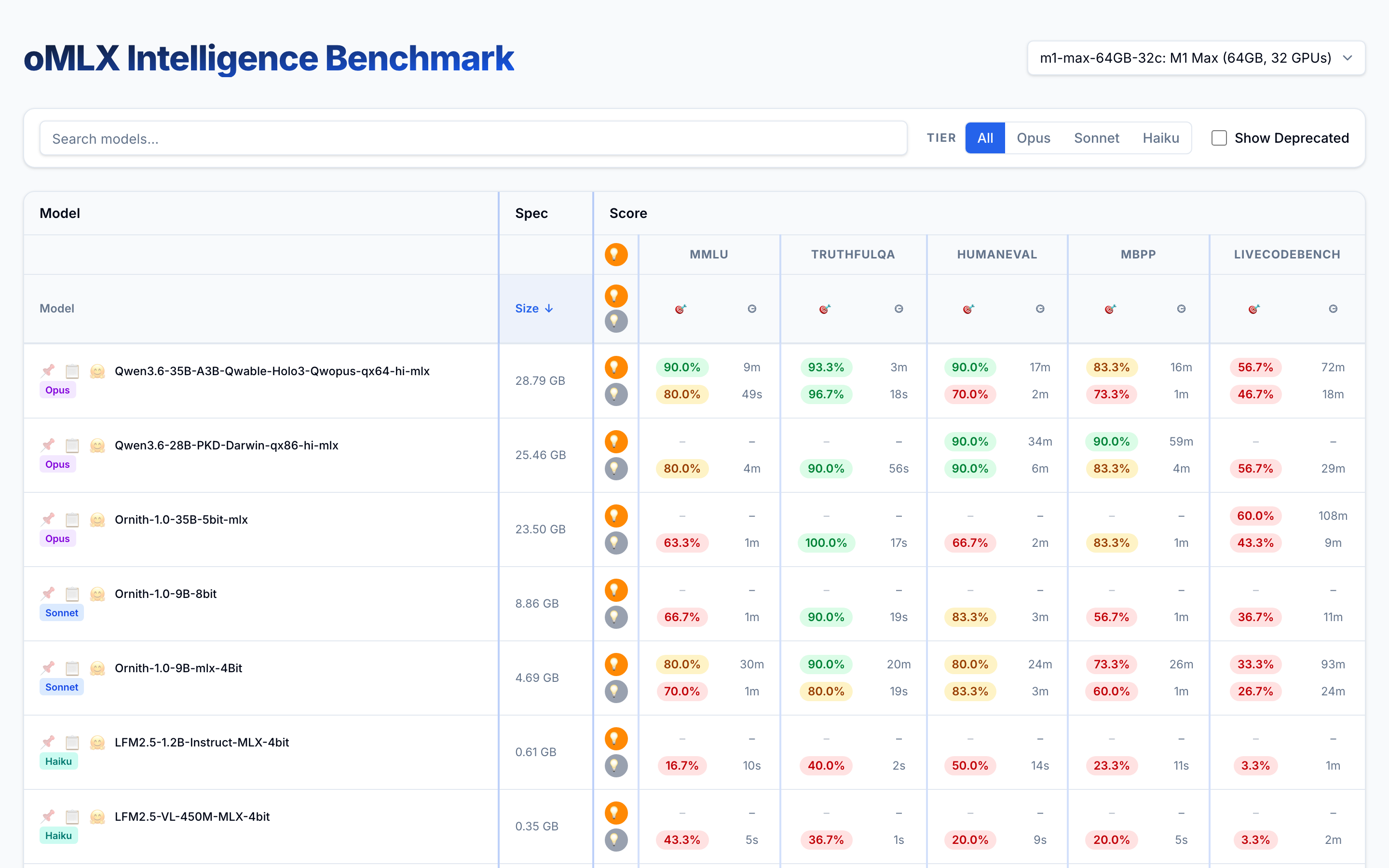
The oMLX benchmark table, comparing local AI models by score, speed and size.

The problem

Every model page said its model was good. None showed which one worked best on my laptop.

  • I wanted models that could run locally without sending data to the cloud.
  • A single test could take hours, which made comparison impractical for most people.

What I built

I tested 54 models on one laptop and published the results.

  • Every model was compared by score, speed, and memory use.
  • Long tests ran overnight, including one that took more than 12 hours.
  • The full dataset stays public, including the models I stopped using.

What changed

The tests gave me a short list of six and showed that bigger was not always better.

  • A 43 GB model scored 80%, while a 19.5 GB model scored 93%.
  • Other people can use the published results instead of repeating every test.