Three things I built

One for law firms. One for a writer. One for myself, to answer my own question.

For law firms

MatterFlow

Chasing paperwork, without the chasing.
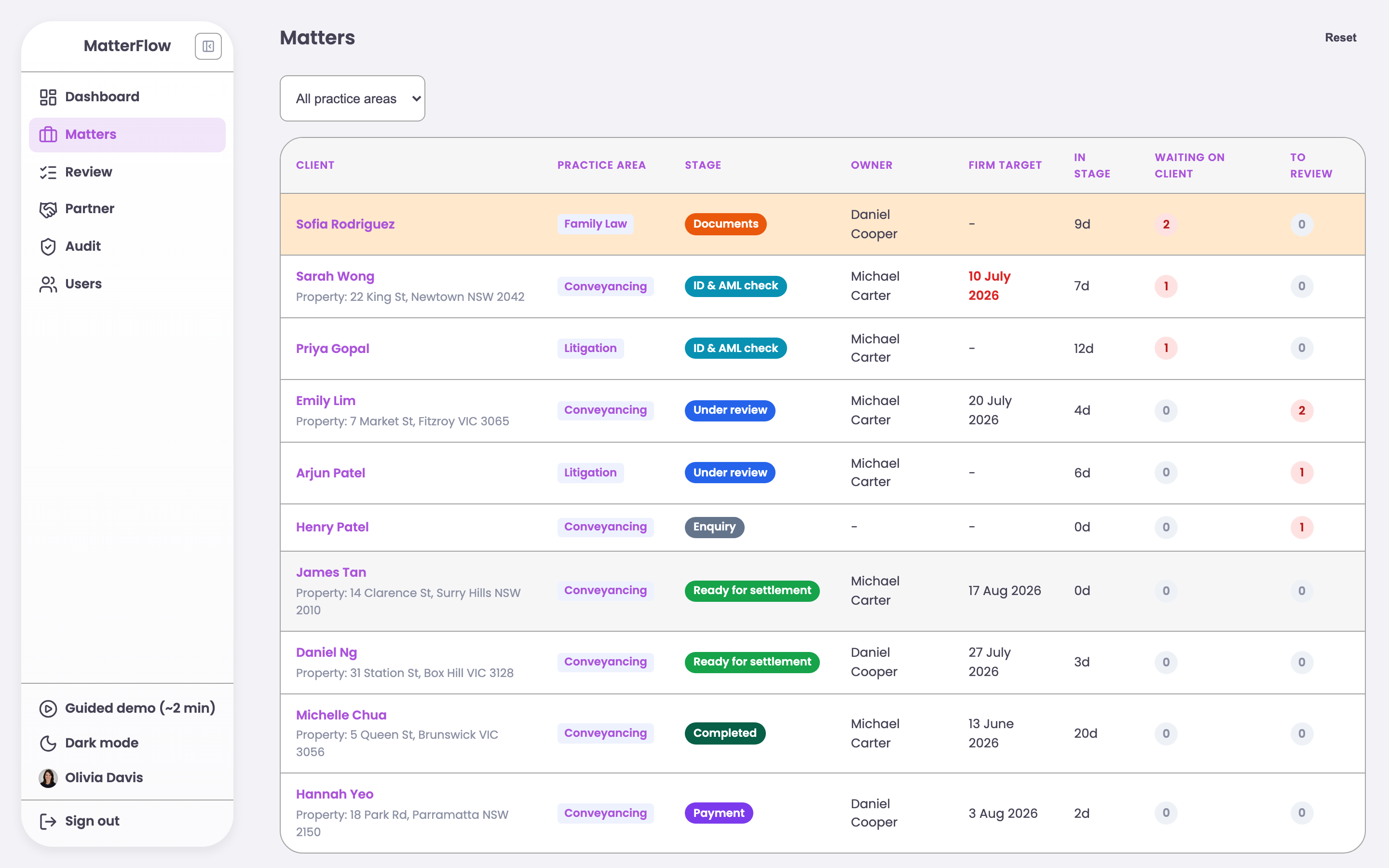
The MatterFlow staff screen, showing legal matters sorted by who is waiting.

The problem

Law firms spend time every week asking clients for documents. The requests go out by email. The replies land in different inboxes. Nobody can say which cases are waiting for the client and which are waiting for the firm. The client is also lost. They do not know what is still needed, so they email to ask.

What I built

One screen for the staff, which sorts the cases by who is stuck. A link for the client, with no account to set up, showing only the documents they still owe and why each one is needed. When the client uploads a file, the case moves forward by itself. The review job appears in the staff queue.

What changes

Reminder emails become the system's job, not a person's. The client can see that their file arrived, so they do not need to email to ask. Every upload, approval and change is recorded, so the firm has a clear history.

This is a working demo, not a live product inside a firm. It is built to be trialled for four weeks with one team.
Open the demo

For a writer in Sydney

Jen Liu

Years of Sydney knowledge, in one place.

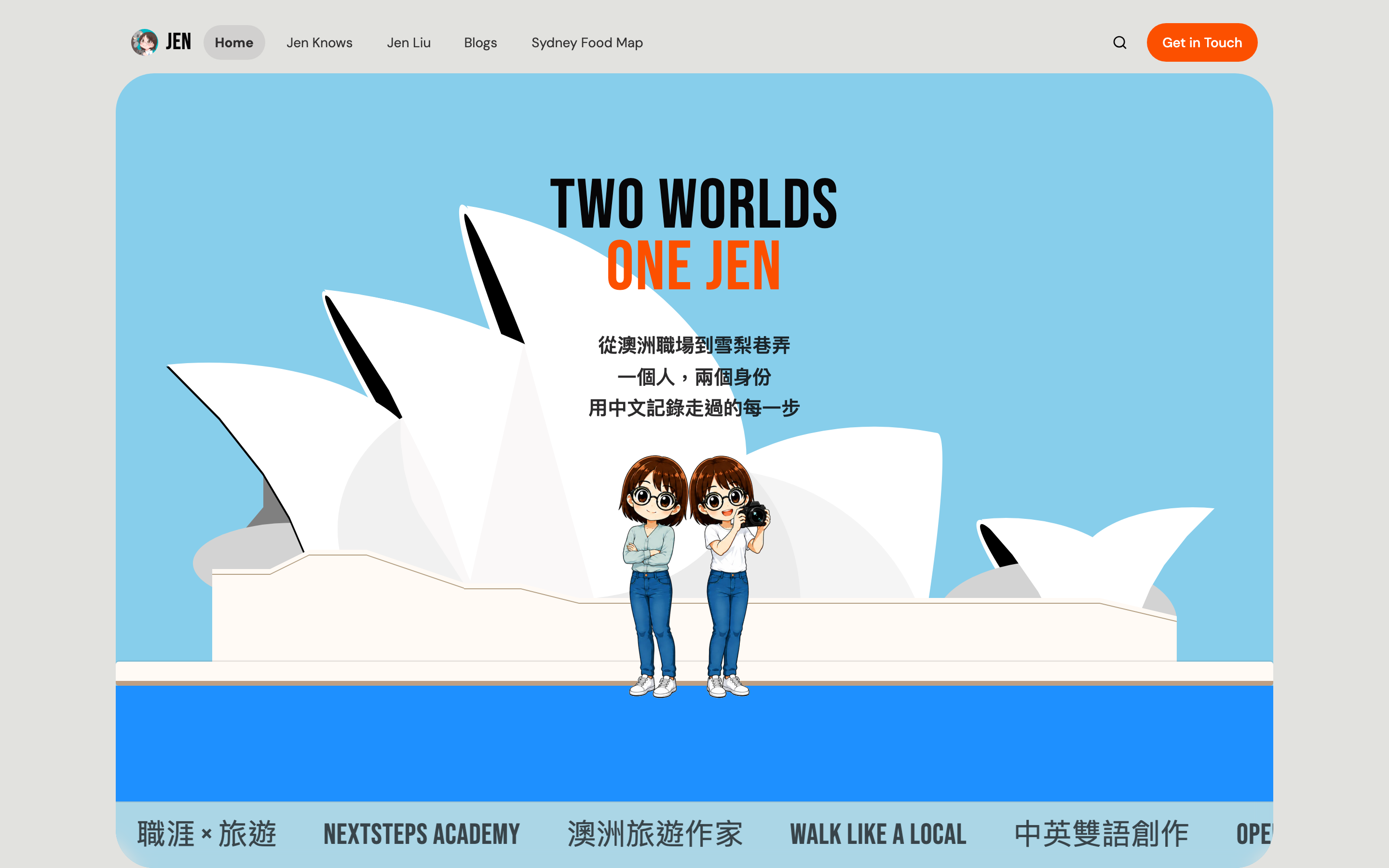
Jen Liu's home page, showing her career writing and her travel writing.

The problem

Jen is a writer in Sydney. She has worked on two travel books and written more than 160 posts about life, work and food in Australia. Her work was spread across a blog, Facebook, Instagram, YouTube and a bookshop page. A new reader could not find all of it. She also had no direct way to reach her own readers.

What I built

One home page that shows both sides of her work, the career guides and the travel writing. Her blog, read straight from where she already writes, so she does not have to change her habits. A newsletter sign-up. A map of 77 Sydney restaurants she has eaten at herself, with her own notes. Plain text files for the wording, so she can edit her own site.

What changed

It gives her one link to put in every book, bio and email. A reader who arrives for a restaurant can find her career guide, and the other way round. She can change her own words without paying anyone.

Open the site

For myself

54 AI models, one laptop

I tested every one, and wrote down the answer.

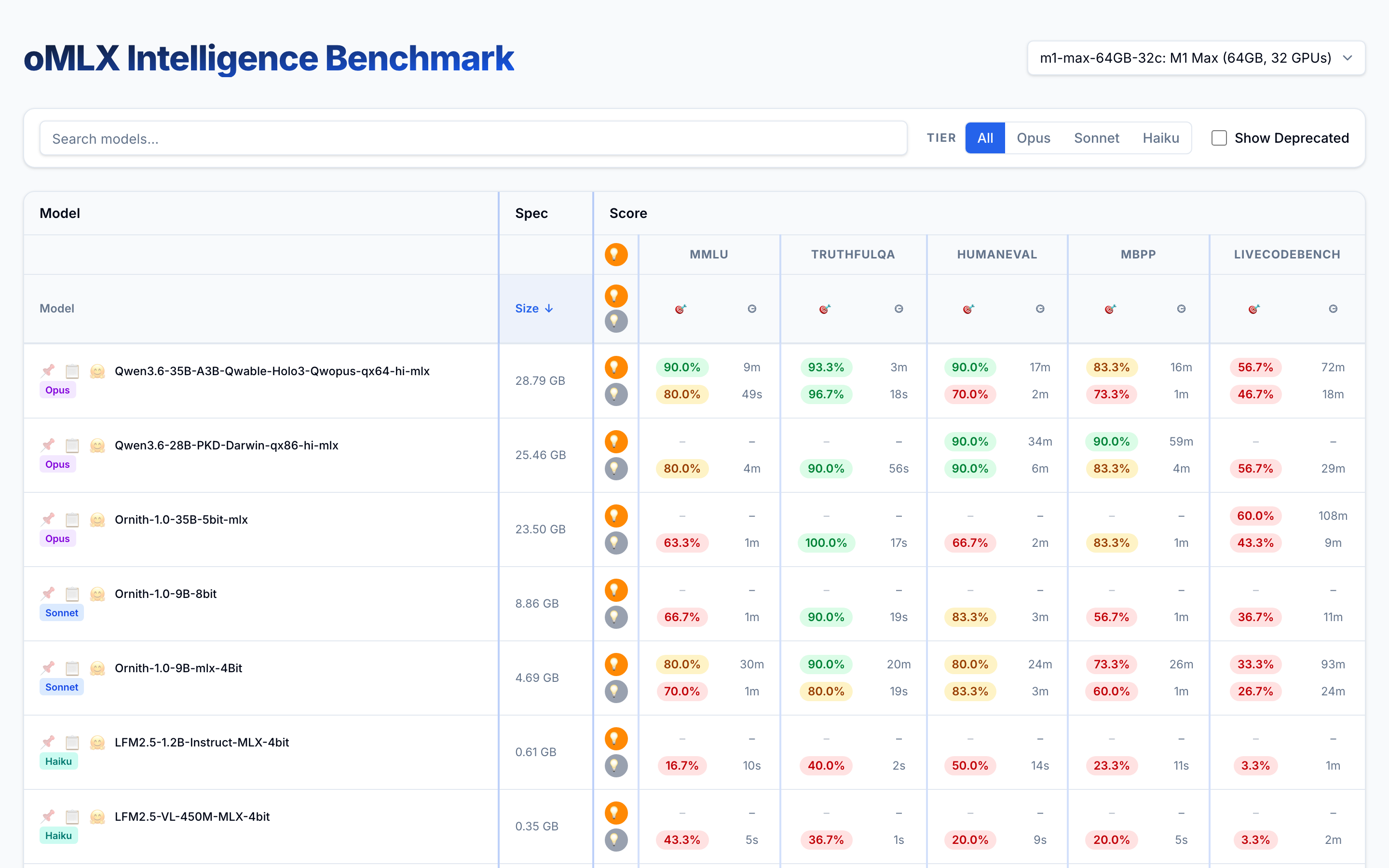
The oMLX benchmark table, comparing local AI models by score, speed and size.

The question

I wanted to run AI models on my own laptop, with nothing sent to the cloud. Every download page says the model is great. None of them say whether it is great on your machine.

What I did

Testing one model takes hours. One of them took more than 12 hours, so almost nobody bothers. I was running them overnight anyway, and nobody could see the results. I put them on a public page instead.

The answer

A 43 GB model scored 80%. A 19.5 GB model scored 93%, on less than half the memory. Bigger is not always better. Of the 54 models I tested, I kept six.

The models I dropped stay in the dataset, marked as deprecated, so the record stays complete.

Open the results

Where I have worked

Eleven years, in Melbourne and Taipei.

See the timeline

Or email me at tonypythoneer@gmail.com.